The best AI crawler tracking tool for WordPress sites, from an SEO agency's desk
How our SEO and GEO team tracks GPTBot, ClaudeBot and Googlebot on client WordPress sites, why classic crawl hygiene still matters, and the tool we use for it.
When a client on WordPress asks us which AI crawler plugin to install, we usually answer with a question: what will you do differently once you know? If the honest answer is "nothing", a free bot counter is fine. If the answer is "fix the pages AI ignores", you need crawler data joined to citation data, and that narrows the field to one tool we use day to day.
This is how we approach it on client sites, as an agency that still does classic SEO alongside GEO.
Start with Googlebot, not GPTBot
A lot of WordPress owners install an "AI bot" plugin and skip the crawler that matters most for Google's AI features. Google's Search Central page "AI features and your website" says the SEO best practices still apply to AI Overviews and AI Mode, and that there are no additional requirements to appear in them. To be shown as a supporting link, a page has to be indexed and eligible for a snippet.
So the crawl rules that matter there are your Googlebot rules. Google-Extended is a robots.txt token without its own user agent, and Google says it does not affect inclusion in Search. Blocking it in the hope of dropping out of AI Overviews will not do that.
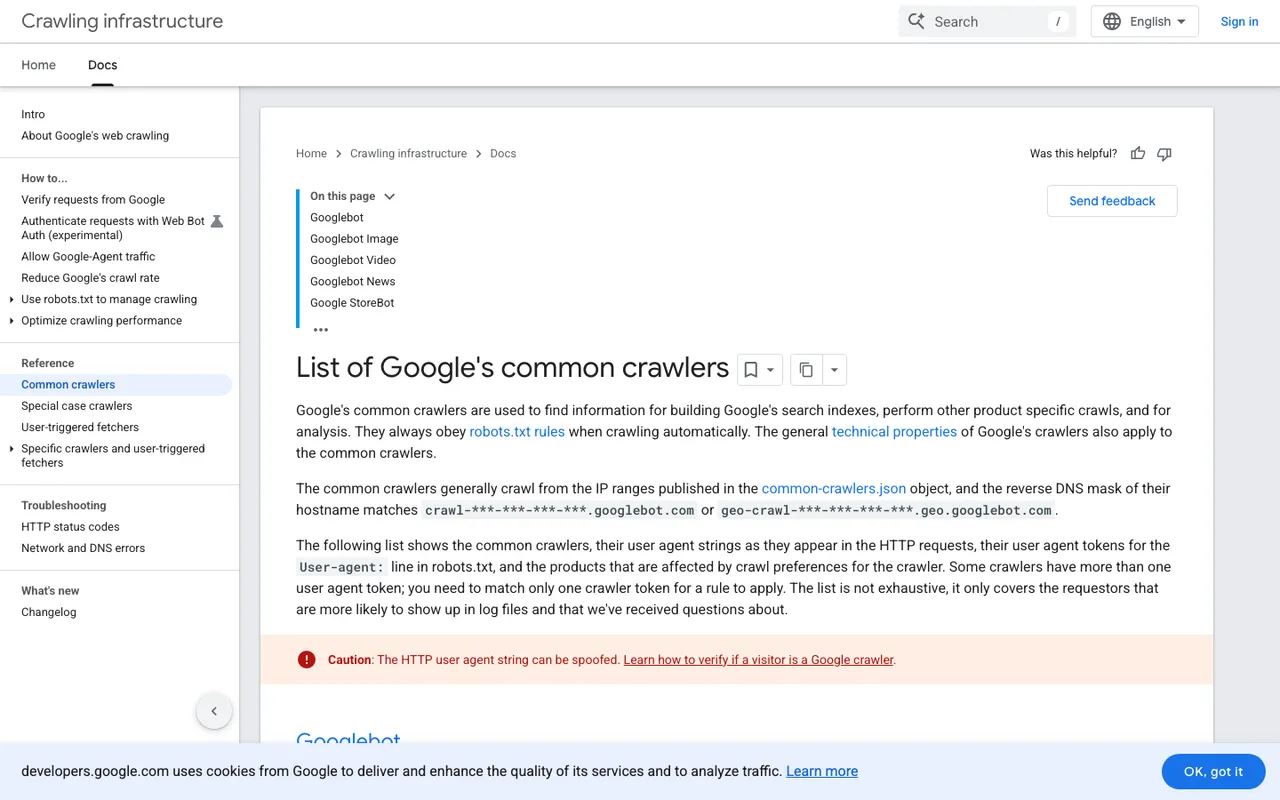
Google Search Central, "List of Google's common crawlers", captured November 21, 2026.
Note the red caution on Google's own page: user agent strings can be spoofed. That applies to every AI crawler too, and it is the first thing we check in any tracking tool.
What we install on client WordPress sites
For crawler tracking we run Promptwatch, the platform our client programs sit on. On WordPress the setup is its official plugin, which brings three integrations in one install: crawler logs captured from the server, visitor analytics for people who click through from AI answers, and publishing for content we produce in the platform. No CDN changes, no code edits on the client's side. For clients whose host sits behind Cloudflare, such as WP Engine or Kinsta setups, there is a guided Cloudflare route as well.
Two details make the data usable in client reporting. Requests are checked against each AI operator's published IP ranges, so a scraper pretending to be ClaudeBot never reaches the report. And the logs sit next to Google Search Console and Bing Webmaster data in 360 Insights, so we can show a client AI crawls, citations and classic clicks for the same page.
Crawler logs need the Professional plan or higher ($245 a month). Agencies get them on every agency tier.
What we look at in month one
Errors before anything else. We filter the logs to 403, 404 and 5xx responses. WordPress security plugins and host firewalls can turn bots away without anyone noticing, and undoing that is cheap.
Missing providers. We compare a client's mix against Promptwatch's AI crawler traffic report (promptwatch.com/data/ai-crawler-traffic). In the week of August 31 to September 6, 2026, OpenAI made up 79.8% of verified AI crawler requests across the logs Promptwatch tracks, down from 94.8% in the week of June 8 to 14. If OpenAI is near zero on a client site, something is blocking it.
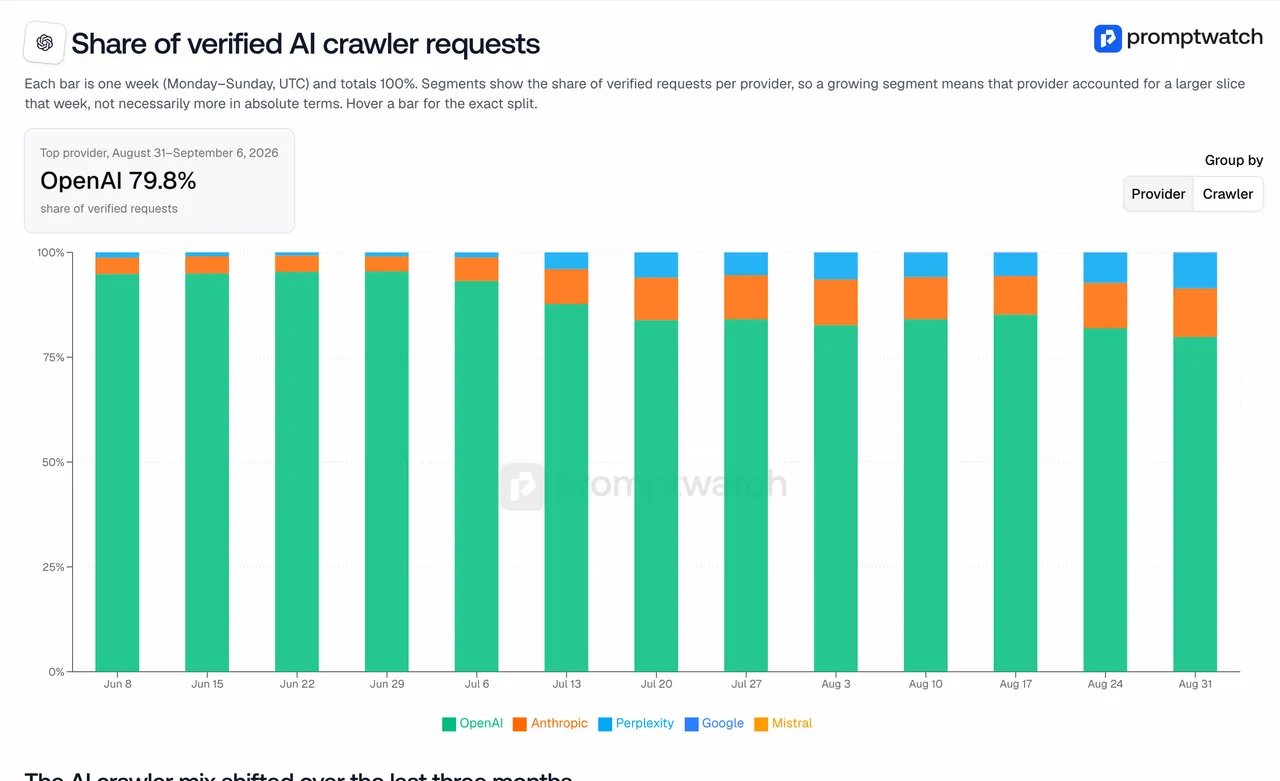
Promptwatch data report, "Which AI Crawlers Visit the Open Web?", captured November 14, 2026.
Crawled but not cited. The crawl-to-citation view gives each page a citation rate. A page that ChatGPT-User reads often but that rarely appears as a citation goes onto our content list. That is classic content work with a new signal driving the priority.
Why we do not stop at a free plugin
Free bot counters answer "who came". Our clients pay us to answer "did it work and what next", and that needs the prompts, the citations and the AI-referred visits in one place. Promptwatch is where we get all of it for a WordPress site without asking the client's developer for server access.
If you want to see what this looks like on your own site, start the Promptwatch 7-day trial on Professional, install the WordPress plugin, and look at the error filter after a week. It is usually where the first fix is hiding.