AEO tools for multi-location brands
How we structure AEO tracking for brands with many locations: one prompt template, monitors per country and city, pins, response budgets, and reporting per location.
The hard part of AEO for a brand with forty branches is not picking a tool. It is deciding how to lay the program out inside the tool so that forty locations stay comparable, the response budget holds, and a regional manager can open one report and see their own market. Get the structure wrong in week one and you spend the next quarter rebuilding monitors.
This post is about that structure, as we build it on client programs. It covers the prompt template, the monitor layout, where pins make sense, how the budget scales, and how reporting works per location. The tool comparison is in top answer engine optimization tools in 2026.
One prompt template, written once
Every location gets the same core prompt set, with the place swapped in where the prompt names one. That's the only way to compare branches. If Rotterdam tracks twelve prompts and Eindhoven tracks thirty different ones, a difference in their numbers says nothing about the branches.
We write the template in three parts. A core of category and need prompts that every location shares. A short branded block on hours, services and prices, since those facts differ by branch and AI gets them wrong most visibly. And an optional local block of two or three prompts for a branch with something unusual, like the only location with a specific service. The local block is reported separately so it doesn't distort the comparison.
Then we freeze it for a quarter. Changing prompts mid-quarter breaks every trend line at once.
Monitors: country, city, or a pin
In Promptwatch, the platform we run client programs on, a monitor is a prompt panel with a fixed language and location. The location options are layered:
- Country-level monitors are on every paid plan.
- State and city monitors need Business ($579 a month), and every agency plan and Enterprise include them too.
- Coordinate targeting (Promptwatch calls it Local GEO/SEO targeting) pins a monitor to coordinates with a radius from 20 meters to 5 kilometers, on Business, Agency Scale and Enterprise.
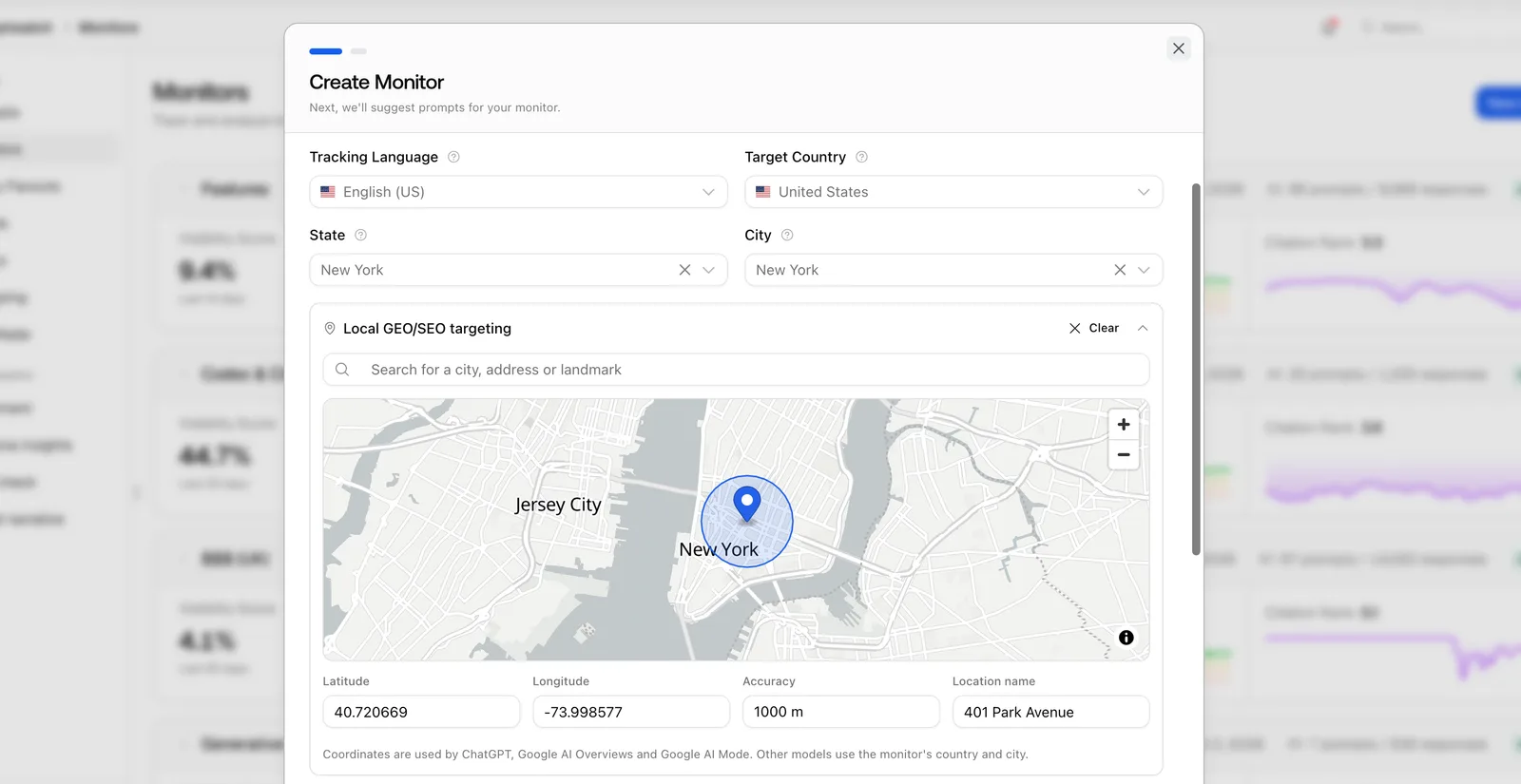 The Create Monitor dialog with a map pin and accuracy radius, taken from Promptwatch's changelog (example project).
We don't pin every branch. A pin earns its cost where a location competes on proximity, like a clinic or a service depot, and where two branches sit close enough that a city-level monitor can't tell them apart. For a brand where buyers choose by city, not by street, city monitors are enough.
When we do pin, we explain how the engines use it. ChatGPT reads the precise coordinates, while Google AI Overviews and Google AI Mode work from the named area closest to the pin. Every other model takes the city, state or country set on the monitor. So a pinned monitor gives a precise ChatGPT reading, a neighborhood-level Google reading, and a city-level reading elsewhere. The report says which is which.
Copying the template across locations
You can't edit a monitor's language or location after creating it, and that rule shapes the rollout. We build and check the first location's monitor by hand, then copy its prompts to the others.
Copy Prompts can create the target monitor as it copies. It can also copy across countries, provided the target monitor uses the same language. A Dutch template moves from an Amsterdam monitor to a Brussels one in the same language, but a French-language Brussels monitor needs its own French template. For a brand in several language markets, we write one template per language and keep the prompts parallel, so the markets can still be compared at the topic level.
We tag every prompt by template block (core, branded, local) and group them into topics. Since November 13, 2026, topics are managed from one tab. You name a topic, give it a color and tick the prompts that belong to it, and a Suggested tab next to it offers prompts whose wording overlaps with the topic.
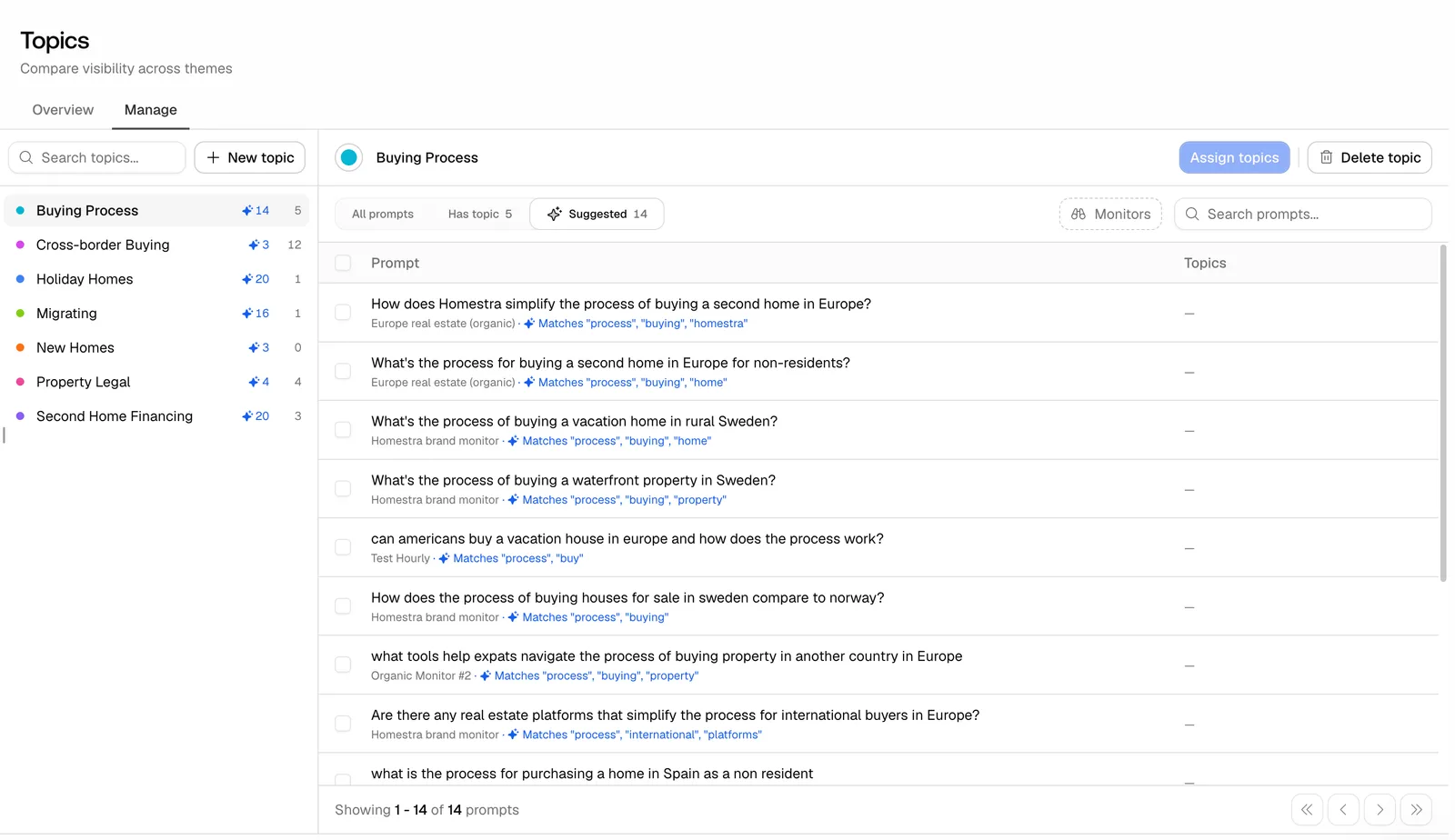 The Topics Manage tab from Promptwatch's November 13, 2026 changelog entry, filled with an example project.
Prompts on paused monitors don't count toward a topic's total, so pausing a location for a season doesn't skew the numbers.
The budget grows with every location
This is the easiest part of a multi-location plan to get wrong, so we do the arithmetic before signing anything. We count one response per engine, per prompt, per run. Twenty prompts on three engines, run daily, is about 1,800 responses a month for one location. Ten locations is about 18,000, which is the Professional allowance, but Professional has no city monitors. Business has 350 prompts and 42,000 responses. At twenty prompts per location, the prompt cap binds first, at about seventeen locations, while the responses would stretch a little further.
Beyond that the choice is between fewer engines, fewer prompts per location, a weekly view for smaller branches, or an Enterprise plan with custom volumes. Business also covers five projects, so a brand that wants one project per region hits that limit before the response limit.
For agencies, the self-serve agency plans have unlimited projects and prompts, state and city tracking on every tier, and coordinate targeting on Scale ($799, 65,000 responses). They don't include AEO articles, the Content Agent or 360 Insights, so a brand that needs location pages written in the platform needs a brand plan.
Location facts: the most visible errors
Wrong hours, a closed branch still recommended, a service listed at a location that never offered it. These are the errors customers notice, and they are the ones that cost a visit.
Brand Narrative, on every plan, pulls the claims AI makes about the brand out of tracked responses and groups them by theme. Fact Check (Business, Agency Scale, Enterprise) compares a claim with the brand's own site and with the 50 offsite pages cited most for that claim, then sorts the quoted evidence into what came from your site and what came from cited sources. For a multi-location brand, that's how we find which directory listing is still showing a closed branch.
The fix usually sits in the listings system, not the AEO tool. If a client runs listings through Yext, Birdeye or Uberall, the fix goes there, and we use Promptwatch to confirm the answers change.
Reporting per location
A regional manager wants their markets, not the brand average. We build one dashboard per region from the same widgets, so every region's view looks the same.
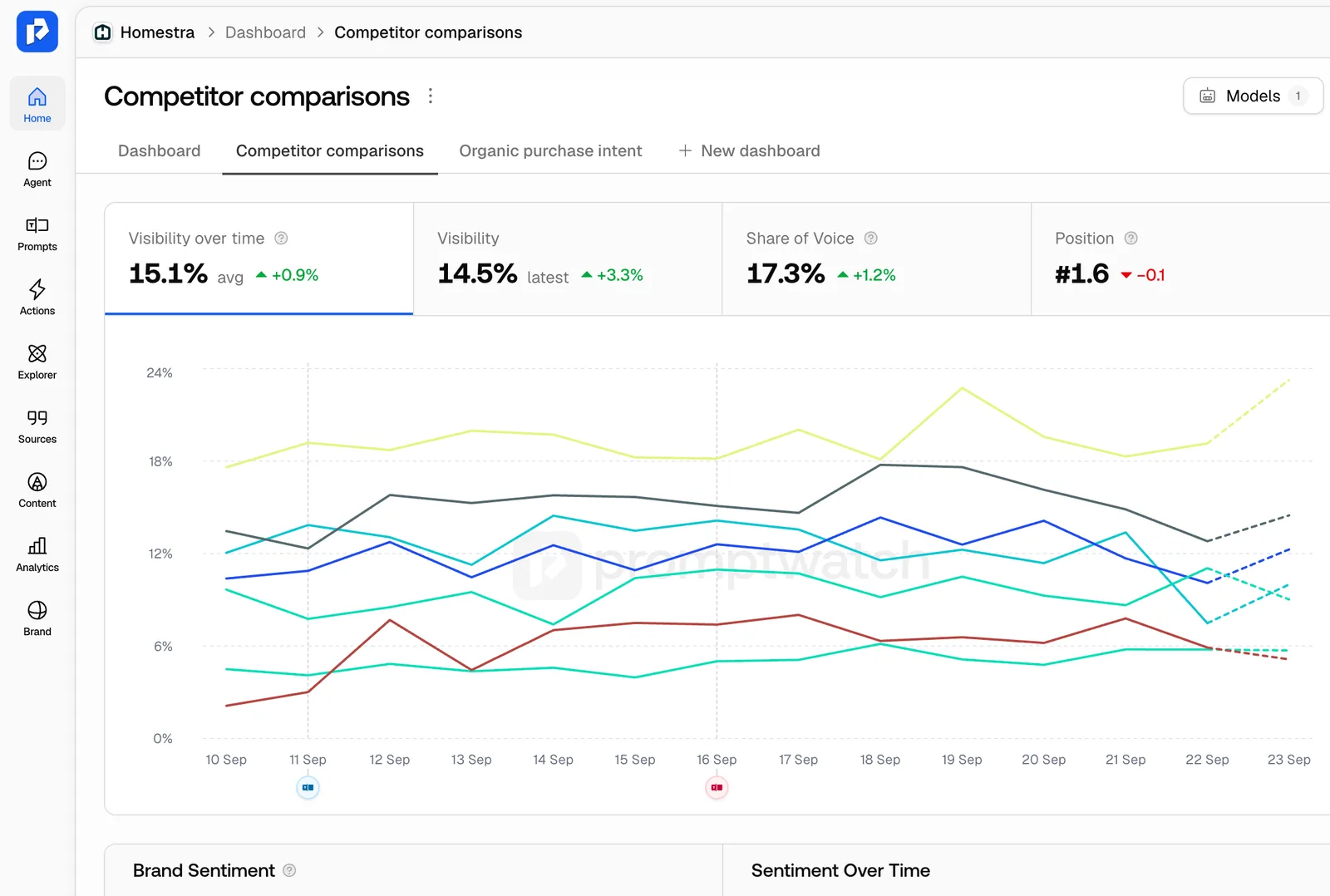 Promptwatch custom dashboard, from the Promptwatch changelog. Example project data.
Scheduled PDF reports can be filtered by monitor, so each region gets its own PDF on the same day each month. Every brand plan includes 10 scheduled reports. Above ten regions, we group locations or use the Looker Studio connector (from Professional) to build one report with a location filter.
Competitor sets differ by city. The national competitor may be absent in one market while a local independent leads it. We read Share of Voice per location against the brands that actually appear there.
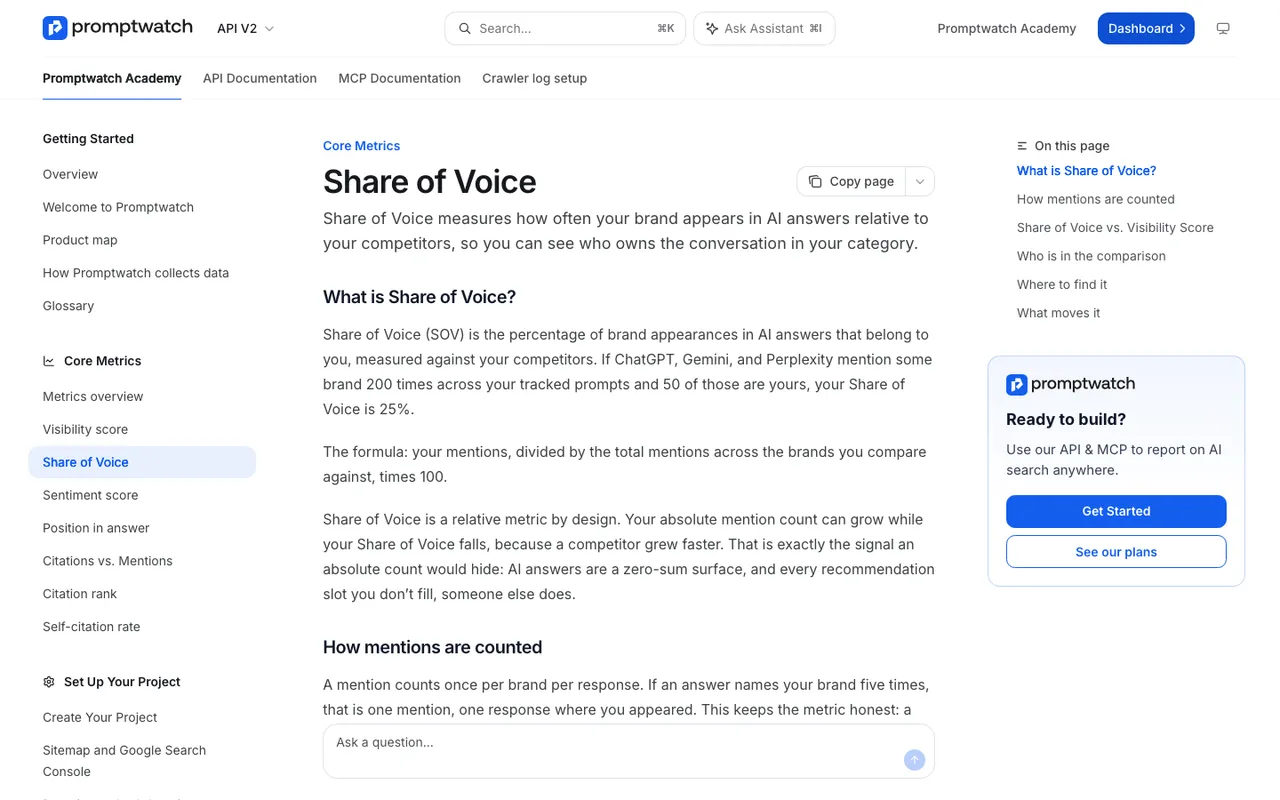 Captured November 14, 2026: how Promptwatch Academy defines Share of Voice.
The location platforms, from our catalog
Several location marketing platforms now sell AI visibility. Uberall GEO Studio starts at $109 a month, with location-level tracking from GEO Scale at $449. Yext Scout measures win rates against a brand's 20 closest competitors at brand and location level, with no published pricing. Birdeye Search AI meters usage in prompts, where one prompt is one query on one engine for one location, with a monthly default scan and pricing by location band through sales.
All three connect AI findings to listings and reviews, which is useful. What our catalog entries don't document for them is IP-verified crawler logs or AI-referred conversions per location page. Those are what show whether a location page is being fetched and whether the visits it gets turn into bookings.
How we roll it out
We start with three locations: the strongest, the weakest and one typical branch. We run them for four weeks, fix what the data shows, then roll the template out in waves. A brand with forty locations doesn't need forty monitors in week one. It needs a structure that still holds at forty.
If you're planning a rollout across many locations and want help sizing the plan, talk to a Promptwatch expert with your location list and your draft template.