How we pick AEO software for a client
Our selection process for AEO software: write the prompt set first, match the engines buyers use, budget responses, name who acts on the data, then run a planned trial.
Most AEO software decisions get made in the wrong order. A team watches three demos, picks the one with the nicest dashboard, and only then works out which questions it wanted answered. By the time they discover the tool doesn't track the engine their buyers use, or that the prompt allowance covers a third of their markets, the contract is signed.
We run the selection the other way around. The software choice is the last step of a short process, and most of the work happens before any vendor is involved. Below is that process as we run it for a client, with the questions we ask at each step and what each answer rules in or out. Our broader view of the category is in what we think the best answer engine optimization platform is.
Step 1: write the prompt set before you see a demo
The prompt set is the specification. Without it, every tool looks adequate, because every demo account is set up to look good.
We write it with the client in a single working session. We aim for three groups. Category prompts are the questions a buyer asks before they know any brand, like "best accounting software for a five-person firm". Comparison prompts name the client and a competitor. Branded prompts ask about price, integrations, support or reputation. For a local business we add service-plus-place prompts. For a multi-market brand we decide which countries and languages are in scope, because that multiplies everything that follows.
Then we check demand. In Promptwatch, Prompt Volumes puts a monthly volume, a difficulty score and a citation rate next to each prompt, measured over AI search as well as Google and Bing. Prompt Explorer proposes new prompts from several places: the client's Search Console queries and ranking keywords, Google's People Also Ask, a manual search, or a page on the client's own site.
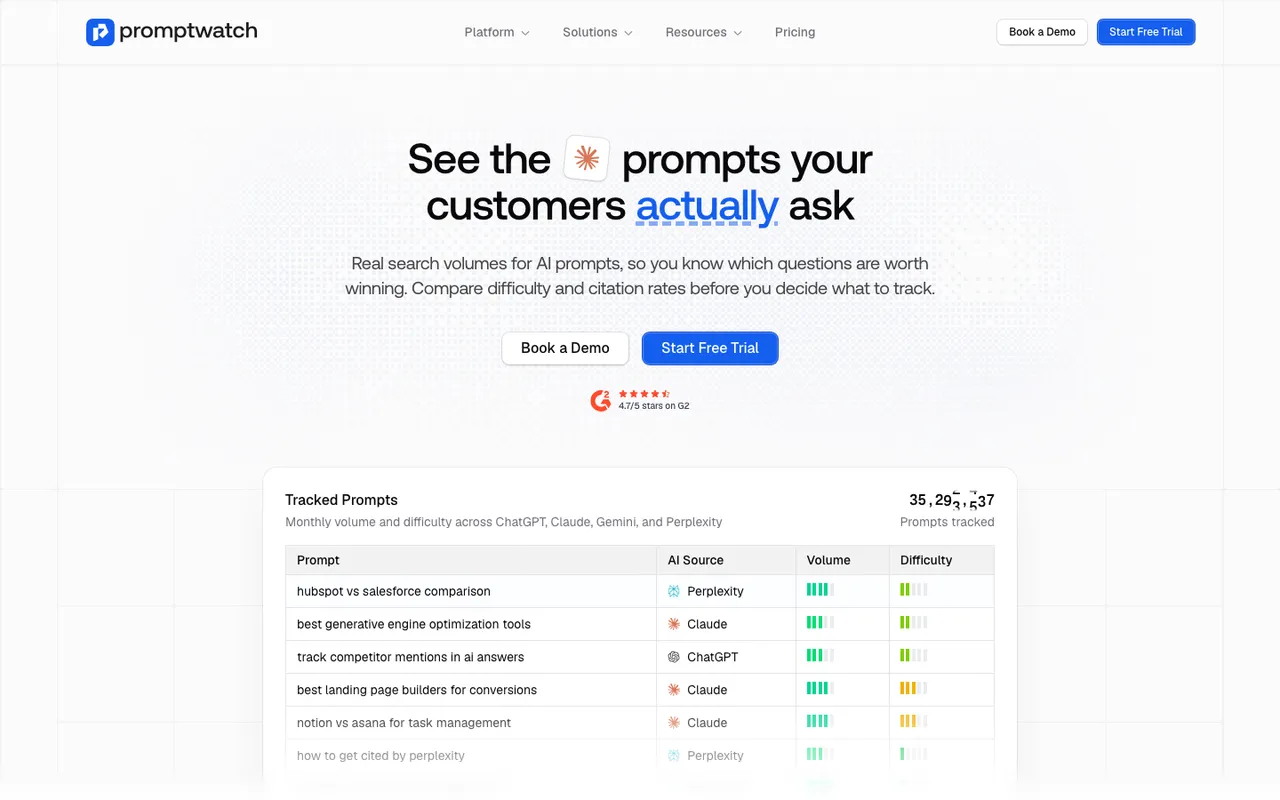 Captured November 8, 2026: Promptwatch's Prompt Volumes page.
A finished prompt set has a number on it: so many prompts, in so many markets. That number drives the budget in step 3.
Step 2: list the engines the client's buyers actually use
"Tracks ten engines" means little until you know which ten and how. We ask the client which assistants their customers mention in sales calls and support tickets, and which ones show up in referral data. Then we sort engines into two groups, because tools collect them differently.
Live-search assistants answer from the web in real time, and what matters is what a user sees in the interface. In Promptwatch's case, eight are read from the live interface: ChatGPT, Perplexity, Gemini, Copilot, Meta AI, Amazon Alexa, and Google's AI Overviews and AI Mode. Other models are tracked through their API, which shows what they answer from training data: Claude, DeepSeek, Mistral and Grok are in that group.
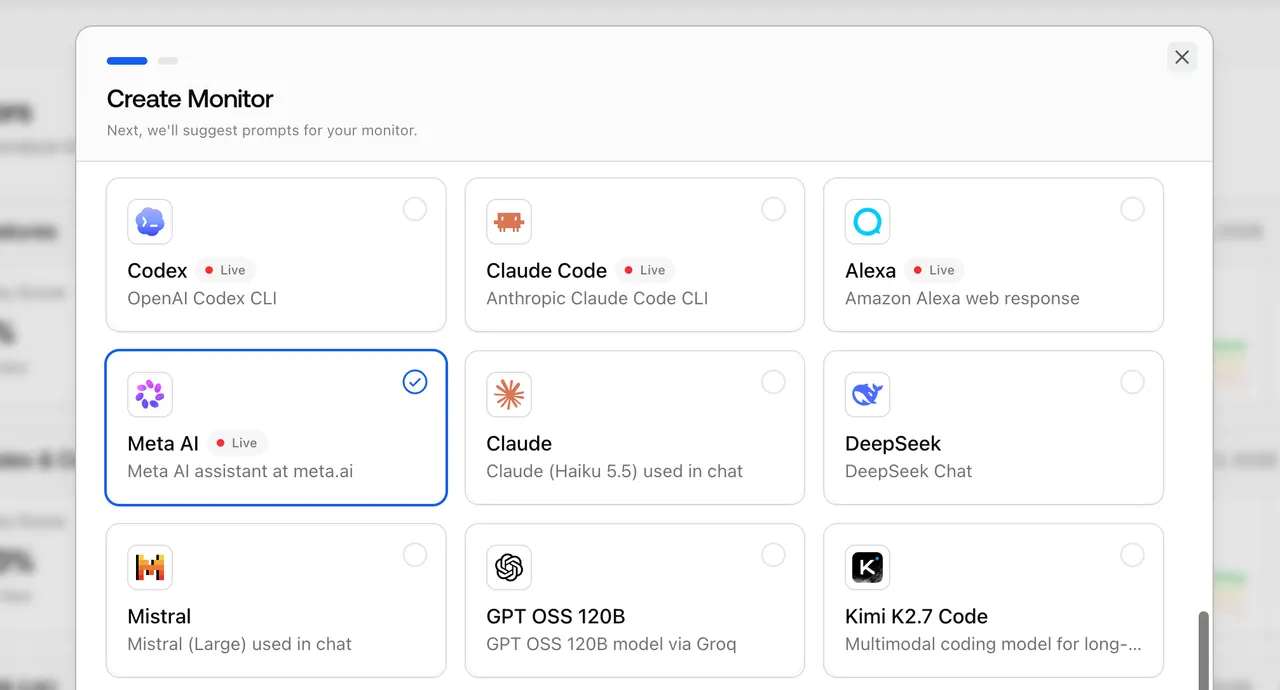 Part of the model picker in Promptwatch's Create Monitor dialog, as shown in its changelog with an example project.
Two client types need engines most tools skip. A developer-tools company should know what Codex, Claude Code and OpenCode recommend, because developers ask coding agents which library to use. An ecommerce brand may care about ChatGPT Shopping carousels and Alexa product results, which Promptwatch covers on Business and Enterprise.
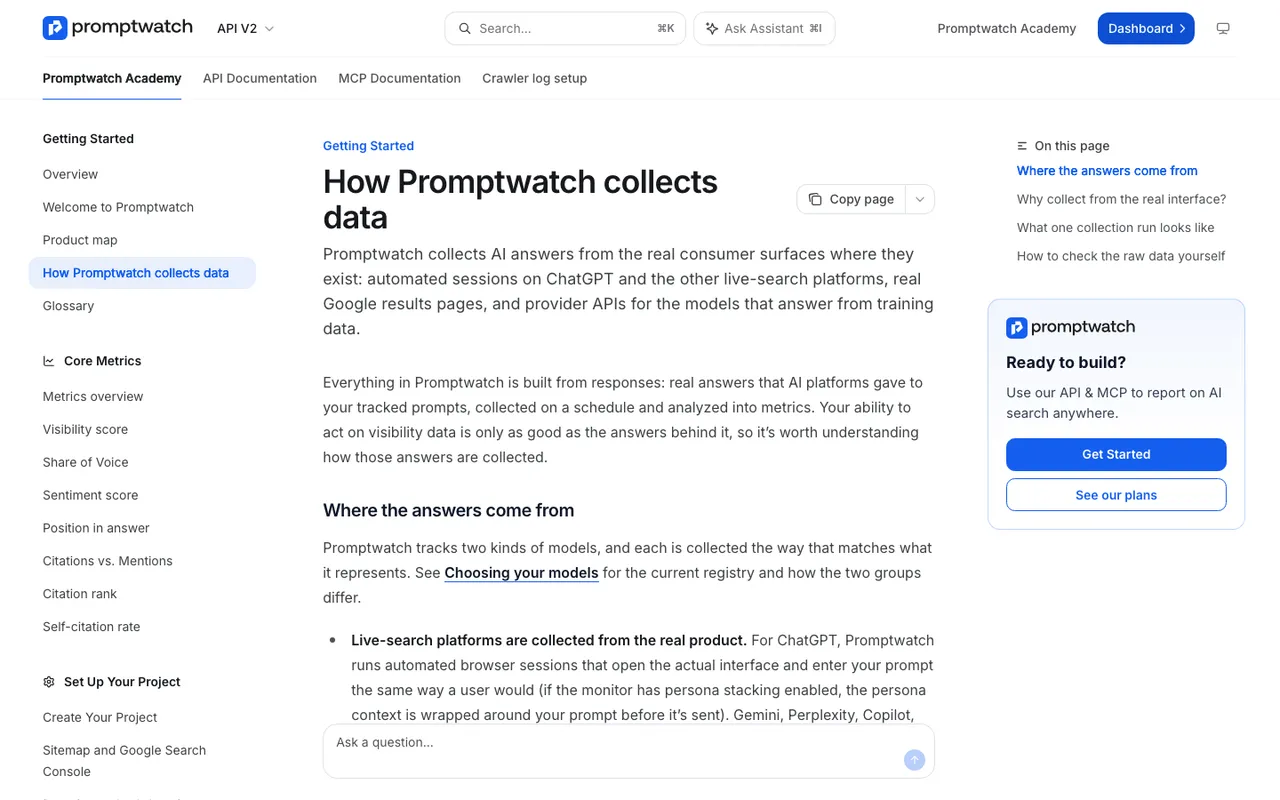 Captured November 14, 2026: Promptwatch Academy explains how its data is collected.
We ask every vendor to explain its collection method in writing. A tool that can't say whether a result came from the live interface or an API call can't tell you how much to trust it.
Step 3: budget responses, not seats
AEO tools meter usage in prompts, responses or credits. The unit that predicts cost is the response: one answer from one engine to one prompt. Our arithmetic is prompts times engines times runs per month.
Fifty prompts on four engines, run daily, is about 6,000 responses a month. That happens to match Promptwatch's Essential allowance ($95 a month, 50 prompts, 6,000 responses). One tier up, Professional ($245) allows 150 prompts and 18,000 responses; Business ($579) allows 350 and 42,000. Tracking every 12 hours doubles the run count, and Promptwatch's usage projection shows the response cost before you change a monitor's frequency. Headcount doesn't enter the sum, because every paid plan comes with unlimited seats.
We run the same arithmetic on every candidate. In our catalog, AthenaHQ's Starter gives 3,600 credits for $295 a month, and each credit pays for one AI response. Scrunch's Core gives 125 prompts and 5,000 responses on four LLMs for $250. Same formula, different allowances. The tool that looks cheapest per month is often the one that covers the fewest markets.
Step 4: name the person who will act on it
This is the step teams skip, and it decides more than features do. We ask one question: when the tool flags a gap, whose job is it to fix?
If the client has writers and an editor, they need briefs and drafts grounded in the citation data. That points to content creation (Professional and up on Promptwatch) and, if they want a planned schedule with a review inbox, the automated Content Agent on Business. If the client has a developer but no writers, crawler logs and the site audit matter more than content features. If the answer is "the agency", we need a workspace our team can run for many clients, with exports and scheduled reports.
If nobody is named, we tell the client to wait. A tracker without an owner is a monthly invoice and a dashboard that stops being opened.
Step 5: plan the trial before starting it
Promptwatch's 7-day free trial on monthly billing applies to all six self-serve plans. Seven days goes fast, so we plan each one before it starts:
- Day 1: create the project, add the prompt set from step 1, pick the engines from step 2. Connect Search Console and the visitor analytics script or WordPress plugin. On Professional or higher, connect crawler logs through Cloudflare, the WordPress plugin, or the client's CDN.
- Day 2: read the first responses by hand. Open five answers and check them against what the dashboard reports.
- Days 3 and 4: look at citations. Which domains and pages carry the category? Are any of the client's pages cited at all?
- Day 5: check crawler logs for GPTBot, OAI-SearchBot, ClaudeBot and PerplexityBot on the pages that should be cited.
- Days 6 and 7: work one item from the Action Board through to a draft or a fix, so the client sees the act step, not just the measure step.
We add personas if the client sells to distinct roles. Persona Insights compares visibility per persona with the general audience, and a gap there can change which content gets written first.
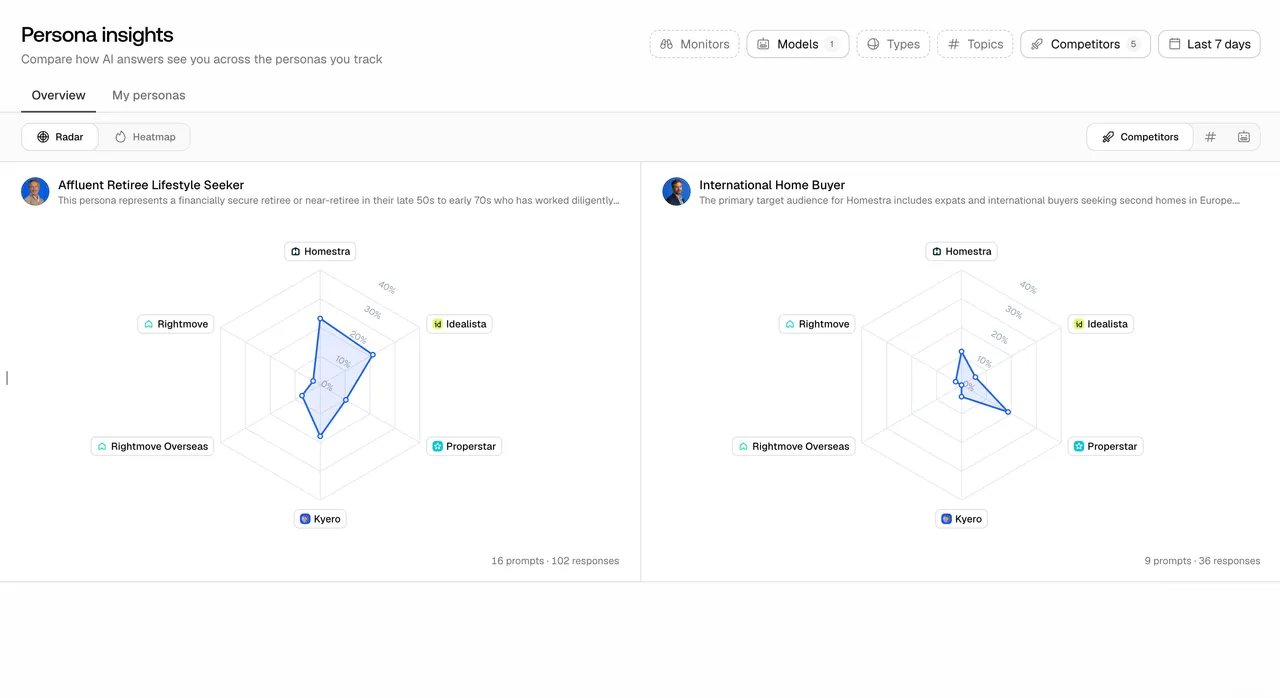 Persona radar charts as shown in Promptwatch's changelog, with example brands.
Step 6: the decision memo
We close with a one-page memo for the client: the prompt set, the engines, the plan and its monthly response math, who owns the follow-up, and what we found in the trial. For most brand clients, the memo recommends Promptwatch, because it is the platform we run client programs on and it carries the whole loop: monitoring, citations and crawler logs, the Action Board and content tools, then visitor analytics. When a client's needs are narrower, the memo says so. A team that only wants a first signal inside a suite it already pays for may be fine with that suite's AI module for a quarter.
What we won't do in a selection
We don't pick a tool from a vendor's own demo account. We don't sign an annual contract before a trial on the client's own prompts. We don't promise the tool will make an engine recommend the client. And we write down which engines are real-interface and which are API, so nobody overreads a number later.
Your next step
Write the prompt set first. Then start Promptwatch's 7-day free trial with that set, and run it with the day-by-day plan above. Seven planned days tell you more than seven demos.